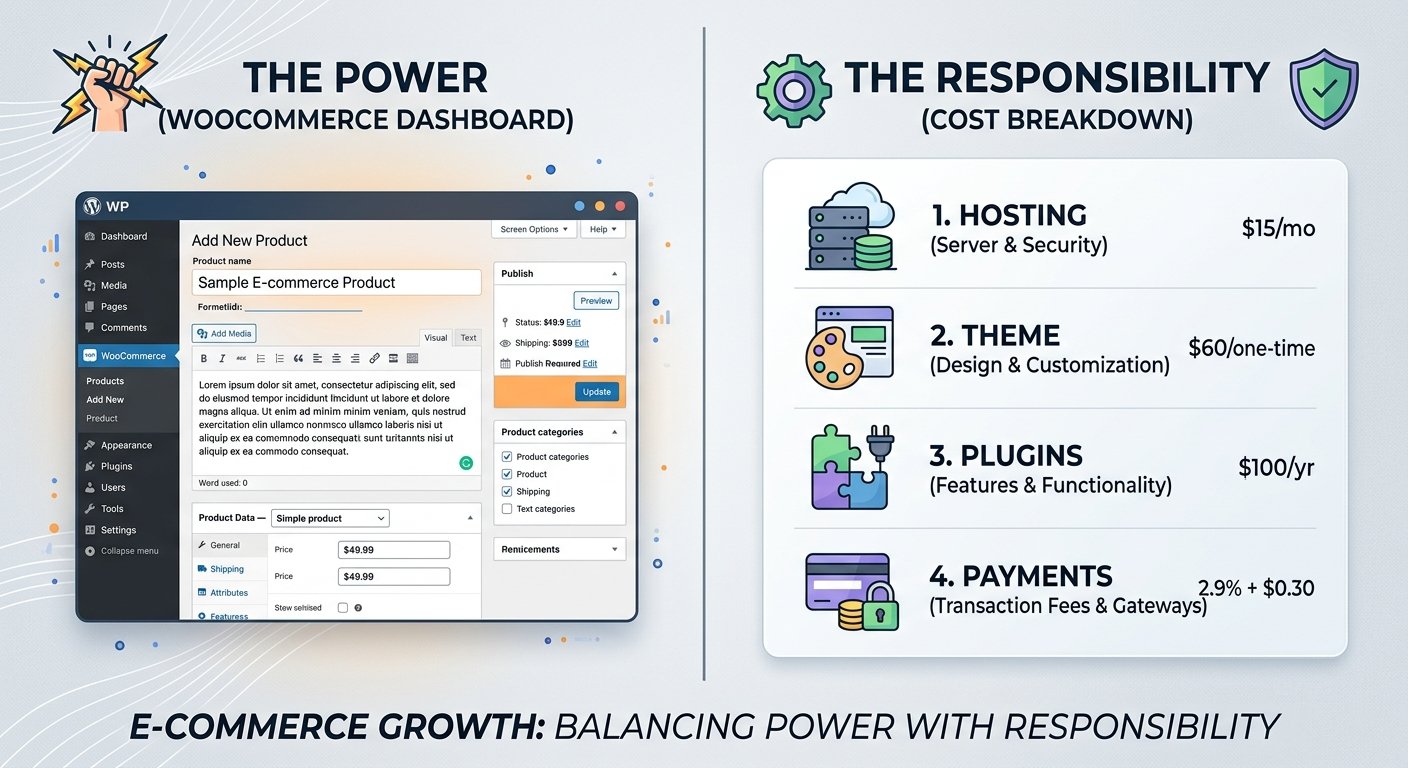
If you’re building an online store, you’ve probably narrowed your options down to two names: WooCommerce and Shopify. This WooCommerce review 2026 answers the question that actually matters — not “is WooCommerce good,” but “is WooCommerce good for you,” given your budget, technical comfort, and how much control you want.
WooCommerce is a free, open-source plugin that turns a WordPress website into a full ecommerce store. It’s the choice for entrepreneurs who want maximum flexibility and full ownership of their store’s code, content, and data, with no single platform locking them in. That freedom is its biggest strength — and its biggest catch, since you (or someone you hire) become responsible for hosting, updates, security, and performance in a way hosted platforms handle automatically.
So, is WooCommerce worth it in 2026? It depends entirely on how much you value control versus convenience.
if you like to know more about the online business. take look my other posts.
Quick Verdict
Overall Rating: 4/5
- Best for: WordPress users, content-driven brands, anyone wanting deep customization and full store ownership
- Not ideal for: Beginners who want a hands-off, “set it and forget it” store
- Biggest advantage: Total flexibility — no platform can restrict or shut down your store
- Biggest disadvantage: You carry the hosting, security, and maintenance burden hosted platforms absorb for you
- Best feature: Its extension ecosystem, which scales a basic store into almost any business model
- Beginner-friendliness: Moderate
- Value for money: Strong, if you’re comfortable maintaining your own stack
- Best alternative: Shopify, for a fully hosted, all-in-one experience
- Final verdict: Best for people who value control and flexibility more than simplicity.
What Is WooCommerce?
WooCommerce is an open-source plugin that adds ecommerce functionality to WordPress. Two things get confused constantly:
WordPress is a content management system (CMS) — the software running the site’s pages and design. WooCommerce is the ecommerce layer — the plugin adding a cart, checkout, and order management on top.
You can’t run WooCommerce without WordPress, but you can run WordPress without WooCommerce.
WooCommerce supports physical products with variations, digital downloads, service bookings via extensions, and subscription billing through add-ons. It scales from solo creators to large catalogs, thanks to thousands of themes and plugins in the wider WordPress ecosystem. It tends to attract people already comfortable with WordPress, bloggers adding a store to an existing site, and businesses needing customization a hosted platform can’t easily provide.
How Does WooCommerce Work?
Launching a store means assembling a stack rather than renting a pre-built one:
- Register a domain and choose WordPress-compatible hosting
- Install WordPress, then WooCommerce
- Choose a theme and configure store settings
- Add products and categories
- Configure payments, shipping, and taxes
- Add supporting plugins (SEO, security, backups)
- Test checkout, then launch
The critical distinction: WooCommerce provides the ecommerce functionality, but you own the infrastructure it runs on. Shopify bundles hosting, security patching, and uptime into its subscription. With WooCommerce, each is a separate decision — the source of both its flexibility and its added responsibility.
WooCommerce Pricing 2026: Is It Really Free?
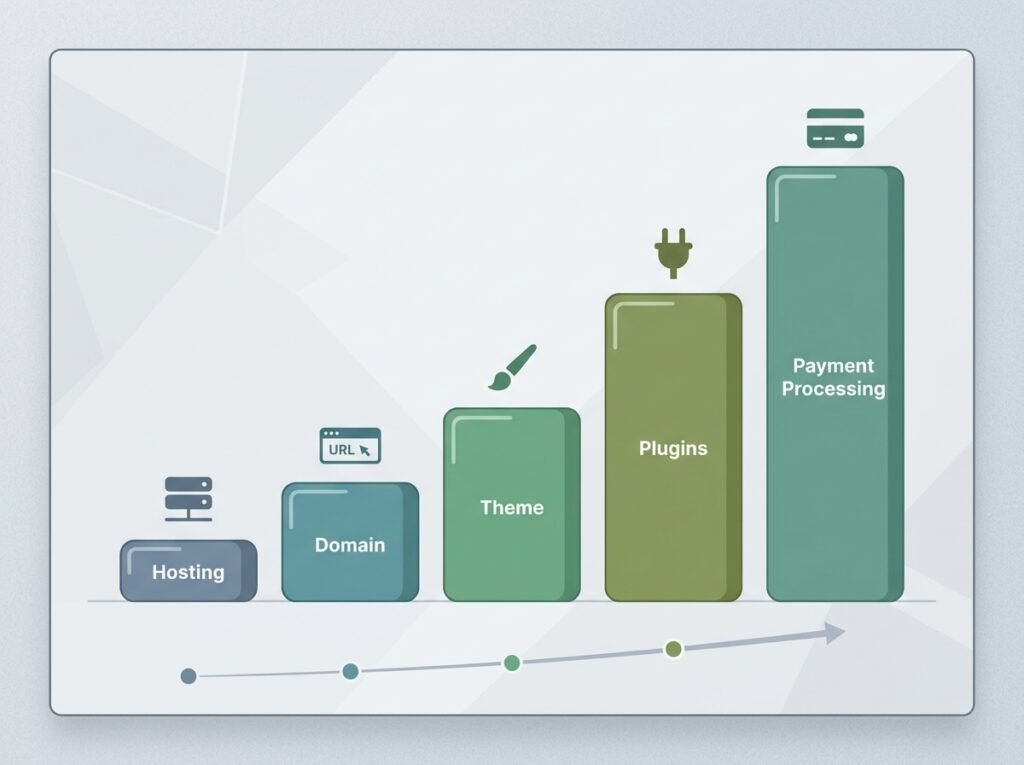
The software itself is genuinely free — open-source under the GPL license, with no mandatory licensing fee and no platform-level transaction fee on sales.
But “free software” isn’t the same as a “free business.” A live store also needs hosting, a domain, an SSL certificate, a theme, payment processing, and often extensions for features the core plugin lacks (advanced shipping, subscriptions, bookings). Costs vary by provider, plan, and region, so treat the figures below as ranges:
| Expense | Typical Cost | Required? | Why It Matters |
|---|---|---|---|
| WooCommerce plugin | $0 | Yes | Core software is free |
| Domain | ~$10–$20/yr | Yes | Your store’s address |
| Hosting | ~$50–$500+/yr | Yes | Drives speed, uptime, and how much security is handled for you |
| SSL certificate | Often included | Yes | Required for secure checkout |
| Theme | $0–$150+/yr | No, but common | Affects design quality and conversion |
| Payment processing | ~2.9% + $0.30/transaction | Yes | Unavoidable cost of accepting cards |
| Essential plugins (SEO, security, backups) | Free tiers; $50–$150+/yr premium | Recommended | Premium adds automation and support |
| Advanced extensions (subscriptions, bookings) | Often $79–$300+/yr each | Situational | Adds functionality core WooCommerce lacks |
| Developer help | Highly variable | Situational | For custom design or complex troubleshooting |
Three realistic scenarios: a minimal store (budget hosting, free theme, one gateway, only essential plugins) can run a few hundred dollars a year, not counting transaction fees. A growing store (better managed hosting, a premium theme, a few paid extensions) typically lands between $500–$2,000/year. An advanced business (premium hosting, multiple extensions, developer support, marketing tools) can easily run several thousand dollars a year or more.
Can you build a WooCommerce store cheaply? Yes, a lean setup is genuinely achievable — but costs climb as your catalog, traffic, and feature needs grow. Budget for growth, not just launch.
WooCommerce Features
Product management: Simple, variable, grouped, and digital products are all supported — great for varied catalogs, though many variations can get complex to manage.
Inventory: Built-in stock tracking with low-stock alerts; multi-warehouse or forecasting needs an extension.
Coupons: Native percentage, fixed, and free-shipping codes; tiered or bulk-pricing rules usually need a plugin.
Payments: Connects to numerous gateways, including WooCommerce’s own WooPayments — real choice, but you compare fee structures yourself.
Shipping: Flat rate, free shipping, and local pickup are built in; real-time carrier rates need extensions.
Order management and customer accounts: A clear fulfillment dashboard plus built-in accounts, order history, and guest checkout; high order volume benefits from third-party fulfillment tools.
Analytics: A useful native dashboard for sales and product performance; power users often add dedicated reporting tools.
Extensions: Thousands of official and third-party add-ons cover subscriptions, memberships, bookings, and multi-currency — WooCommerce’s strongest asset, though costs and complexity scale with ambition.
Themes: A large free and premium library, including the lightweight official Storefront theme.
Mobile management: Reasonable dashboard access on the go; deep configuration is easier on desktop.
Digital products and subscriptions: Digital delivery is native; recurring billing needs a paid extension.
Multichannel selling: Extensions connect to marketplaces and social channels, adding reach but also more to maintain.
Is WooCommerce Easy for Beginners?

Beginner Difficulty: 6/10
Installing WooCommerce is easy — a guided wizard handles the basics. The learning curve comes from everything around it: store setup and themes (moderate — real decisions on taxes, shipping, payments, and design), plugins (moderate to advanced — avoiding conflicts takes trial and error), and maintenance, security, and troubleshooting (all advanced — no single support line owns your whole stack).
The important distinction: WooCommerce itself can be straightforward, but running a self-hosted WordPress store carries more ongoing responsibility than a fully hosted platform. Many beginners succeed with no coding background — but should expect real, continuing maintenance work.
WooCommerce Pros and Cons
Pros
- Open-source and free at the core
- Full ownership of code, content, and customer data
- Extreme flexibility — nearly any feature is achievable
- Huge WordPress ecosystem of themes and plugins
- Strong content + ecommerce integration for blogging brands
- No forced monthly platform subscription
- Deep SEO flexibility and control
- Scalable when properly configured
- No vendor lock-in
Cons
- Hosting and security responsibility falls on you
- Plugin conflicts are common
- Ongoing maintenance burden (core, theme, plugins)
- Costs are less predictable as extensions add up
- Steeper technical learning curve
- Performance requires active management
- Backup strategy is your responsibility
- Developer costs can add up for custom work
WooCommerce Hosting: What Do You Actually Need?
Hosting is arguably the most consequential decision a store owner makes — it affects speed, uptime, and how much security is handled for you.
- Shared hosting: Cheapest, fine for small, low-traffic stores, but can degrade under growth.
- Managed WordPress hosting: Handles updates and security for you, at a higher price.
- WooCommerce-specific hosting: Optimized for checkout and database performance under order volume.
- VPS/cloud hosting: Dedicated resources for larger, higher-traffic stores.
Weigh performance, uptime, backup ease, built-in security, support quality, and scalability. A cheap host that buckles during a sale is a false economy — slow load times measurably hurt conversions. Match the plan to your real needs and verify current specs with the provider rather than choosing based on affiliate payouts.

WooCommerce Themes and Design
Design directly affects trust, usability, and conversion. Free themes, including the official Storefront theme, are lightweight and compatible but can look generic. Premium themes add advanced layouts and support for an annual fee. Page builders like Elementor add design control — but stacking too many can slow a site down.
Prioritize mobile responsiveness and a fast checkout over extra design plugins “just in case.” Every added plugin is a performance and security tradeoff, not just a feature.
WooCommerce Plugins and Extensions
Major categories include payment gateways, SEO tools, security and backup plugins, email marketing, reviews, analytics, shipping calculators, and subscription/membership management.
The tradeoff: more functionality means more complexity. Every plugin needs updates, adds a potential conflict point, and often a recurring cost. Installing dozens without a plan creates compatibility issues, slower load times, security risk, and mounting maintenance work. Before adding any plugin, confirm it’s actively maintained and actually necessary.
WooCommerce SEO: Is It Good for Google?
WordPress has one of the most mature SEO ecosystems available — flexible URLs, metadata control, strong plugin support (Yoast, Rank Math), sitemaps, and native blogging tools. WooCommerce gives granular control over product descriptions, categories, internal linking, and technical SEO like redirects and structured data.
But WooCommerce doesn’t automatically make a store rank. Rankings depend on search intent, content quality, technical performance, backlink authority, and product-market relevance — not the platform. No article, and no platform, can promise specific rankings.
WooCommerce Security
Key layers: core and plugin updates, hosting-level security, regular backups, SSL/HTTPS, strong passwords and limited permissions, and typically a security plugin.
The core difference: hosted platforms manage much of the infrastructure security for you; WooCommerce owners carry more of that responsibility themselves, directly or through a well-chosen host. Staying current on updates is an ongoing job, not a one-time task.
WooCommerce Payments and Checkout
WooCommerce doesn’t include payment processing — you connect a gateway. Its own WooPayments extension (built on Stripe) offers the tightest native integration, alongside broad support for PayPal and regional processors.
Typical domestic card processing runs around 2.9% plus $0.30 per transaction, with added surcharges common for international cards and currency conversion — but exact rates depend on your gateway, country, and business type, so confirm directly with your provider. Available payment methods vary by country and gateway. When comparing options, look at fees, payout speed, supported currencies, fraud protection, and checkout integration quality.
WooCommerce for Different Online Businesses
- Physical Products — Excellent. Core functionality is built for this.
- Digital Products — Good. Native delivery works well; complex licensing needs an extension.
- Dropshipping / Print-on-Demand — Good. Well-supported via integrations; quality depends on the tools chosen.
- Subscription Businesses — Average. Fully capable, but needs a paid extension.
- Small Brands & Content + Ecommerce Sites — Excellent. WooCommerce’s best-fit use case, thanks to combined publishing and selling.
- Beginners — Average. Capable, but requires more hands-on learning than hosted alternatives.
WooCommerce isn’t a universal fit — highly hands-off or specialized headless/API-first needs may be better served elsewhere.
WooCommerce vs Shopify
| Feature | WooCommerce | Shopify |
|---|---|---|
| Setup | Manual; you assemble the stack | Guided, faster |
| Hosting | Self-managed or via chosen host | Fully hosted, included |
| Customization | Very high with development resources | High, within Shopify’s framework |
| Pricing model | Free core + modular costs | Tiered monthly subscriptions plus fees |
| Security responsibility | Largely on the owner/host | Largely handled by Shopify |
| SEO flexibility | Very high | Good, within platform limits |
| Themes | Large free/premium library, high freedom | Curated store, polished by default |
| Extensions/apps | Enormous WordPress ecosystem | Large, curated App Store |
| Beginner-friendliness | Moderate | High |
| Scalability | High with proper management | High, built in |
| Best for | Control and customization | Speed and simplicity |
Choose WooCommerce if you want full ownership and deep customization. Choose Shopify if you want the fastest path to launch with predictable costs and no infrastructure to manage — see our full [INTERNAL LINK: Shopify Review 2026] for more.
WooCommerce Alternatives
Shopify — Best for hands-off, all-in-one hosting. Advantage: simplicity and predictable pricing. Weakness: ongoing subscription regardless of sales.
Wix — Best for very small stores wanting drag-and-drop simplicity. Advantage: ease of use. Weakness: limited scalability for complex catalogs.
Squarespace — Best for design-focused brands blending content and a modest catalog. Advantage: strong templates. Weakness: fewer deep customizations.
BigCommerce — Best for mid-size businesses wanting robust native features. Advantage: less reliance on third-party apps. Weakness: steeper learning curve than Shopify.
Pricing varies by plan, region, and promotions — verify current numbers directly with each provider.
Who Should Use WooCommerce?
You want control over your store’s code and data, are already a WordPress user, run a content-driven business, need extensive customization, or are willing to manage hosting yourself or through a partner.
Who Should Not Use WooCommerce?
You want the simplest possible setup, don’t want to manage hosting or updates, have no interest in ongoing maintenance, or prefer predictable all-inclusive costs over a modular stack. For these readers, Shopify will almost certainly feel smoother.
Is WooCommerce Worth It in 2026?
The real tradeoff: control, flexibility, and ownership versus complexity, maintenance, and responsibility. It only pays off if you need that flexibility and are willing to manage what comes with it.
- Beginners: Worth it only if genuinely willing to learn WordPress basics.
- Small and growing businesses: Often worth it, especially with some technical comfort — the extension ecosystem scales with specific needs.
- Content creators and experienced WordPress users: A very strong fit.
- Advanced ecommerce businesses: Worth it with proper technical resources, though enterprise Shopify may sometimes be more efficient at scale.
WooCommerce Review 2026: Final Verdict
Ease of use: 3/5 · Features: 5/5 · Flexibility: 5/5 · Pricing/value: 4/5 · SEO: 5/5 · Security: 3/5 · Customization: 5/5 · Beginner-friendliness: 3/5 · Scalability: 4/5
Overall Rating: 4/5
WooCommerce earns a strong score for one clear reason: it gives store owners more control, customization, and long-term ownership than almost any hosted alternative, without a mandatory platform fee. But that power comes at the cost of simplicity — it’s best for people who value control and flexibility more than a hands-off, plug-and-play experience.
If you’re comfortable with WordPress, or your business genuinely needs deep customization, WooCommerce is one of the strongest ecommerce platforms available in 2026. If you want the fastest, most predictable path to a store with the least technical responsibility, Shopify is likely the better starting point — see our [INTERNAL LINK: Shopify Review 2026], or browse [INTERNAL LINK: The Ultimate Online Business Toolkit 2026] to compare your full stack of options.
Frequently Asked Questions
Is WooCommerce free? The core plugin is free with no licensing fee. But a live store still needs hosting, a domain, and a payment gateway. The software is free; operating a store is not.
How much does WooCommerce cost in 2026? It varies by hosting, theme, extensions, and payment fees. A minimal setup can run a few hundred dollars a year; growing stores with premium hosting and extensions often land between $500 and $2,000+ annually.
Is WooCommerce good for beginners? Moderately. Installing the plugin is easy, but ongoing hosting, security, and plugin maintenance require more comfort than a fully hosted platform. Beginners willing to learn WordPress basics can succeed.
Is WooCommerce better than Shopify? Neither is universally better. WooCommerce offers more flexibility and ownership at the cost of more responsibility; Shopify offers a faster, hands-off setup with a mandatory subscription.
Is WooCommerce secure? It can be very secure when properly maintained, but responsibility sits largely with the store owner or host. Hosted platforms manage more of this automatically.
Is WooCommerce good for SEO? Yes — WordPress’s SEO ecosystem is among the most flexible available. But WooCommerce doesn’t automatically rank a store; that depends on content quality, technical performance, and authority.
Do I need hosting for WooCommerce? Yes. WooCommerce is a plugin, not a hosted service, so you must choose and pay for WordPress-compatible hosting separately.
Is WooCommerce worth it in 2026? Yes, for entrepreneurs who value control and ownership and are willing to manage (or hire for) hosting and security. Less so for those wanting the simplest, most hands-off path to a store.
Impact-Site-Verification: 1166f17b-e238-4b3d-adc4-7c0bbb2fc228